Categories
Categories is a section where you can view, search, add, and manage category records, including which schools they are assigned to and which school created them.
Add a New Category
-
Navigate to Programs → Categories in the panel menu on the left.
-
Click the “Add” button in the right upper corner of the page.
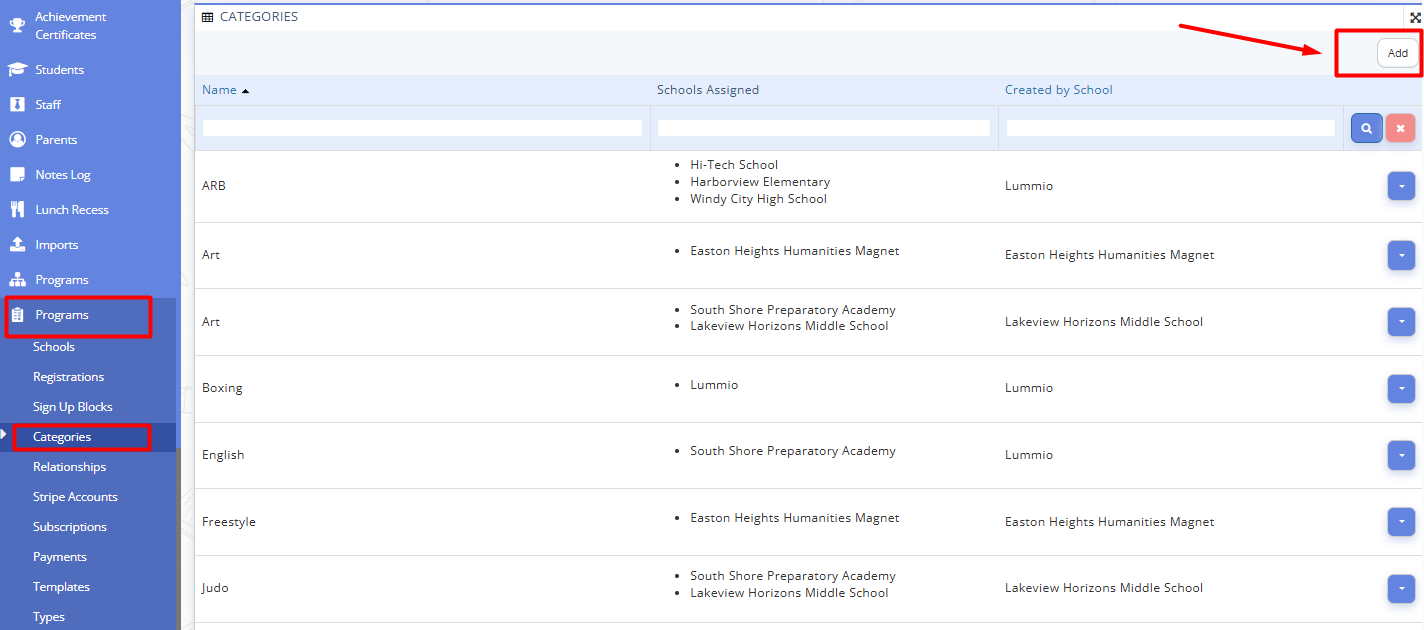
Fig. 1. Adding New Category -
Fill in the following fields:
- Name: name of the subject of studying area
- Schools Assigned: schools which will offer the programs according to this category
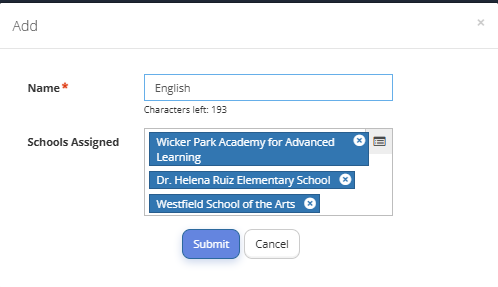
Fig. 2. New Category Form -
Click "Submit".