Sign Up Blocks

Sign Up Blocks

Sign Up Blocks

Overview

The Sign Up Blocks section allows Administrators to create and manage registration page templates for students enrolling in After School Programs. These blocks define how sign-up forms are presented to parents and students and help ensure a consistent and structured registration experience across the platform. Fig. 1. Sign Up Blocks List
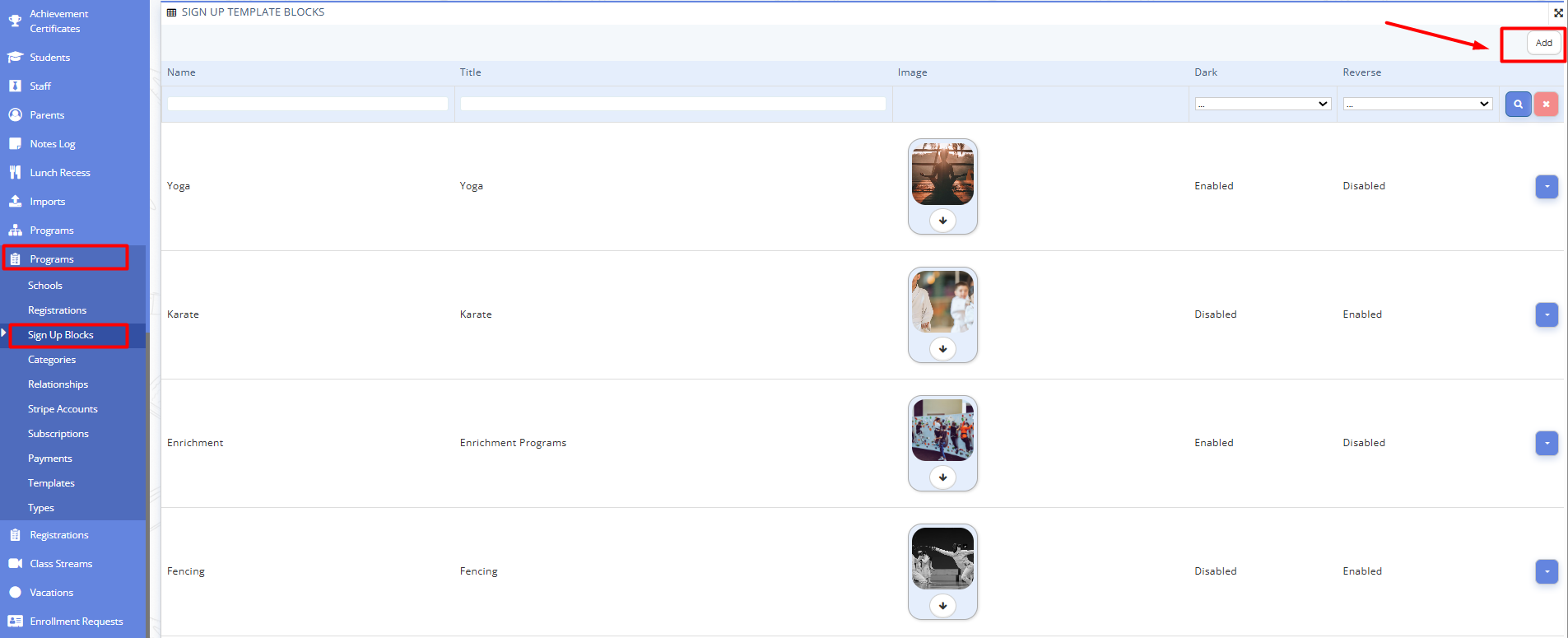
Fig. 1. Sign Up Blocks List

Adding a New Sign Up Block

  1. Navigate to Programs --> Sign Up Blocks in the panel menu on the left.
  2. To create a new sign-up block, click the Add button in the top-right corner of the page.
  3. Complete the fields in the form.
    You will need to provide:
    - name
    - title
    - description
    - upload a cover image
    - configure visual display options such as enabling or disabling a dark background and reversing the program card layout relative to the previous block.
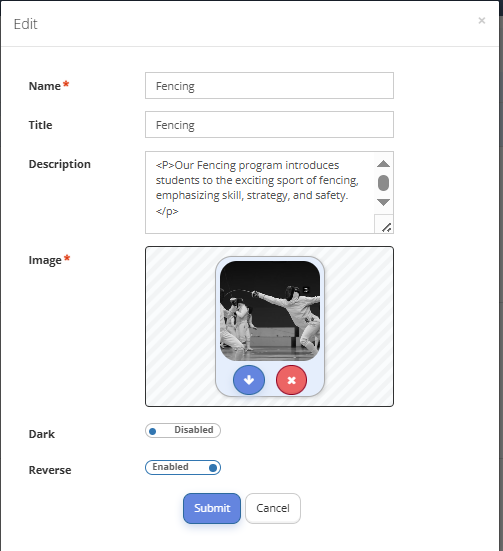
    Fig. 2. Filled Sign Up Block Example
    Fig. 2. Filled Sign Up Block Example

  4. Once all required fields are completed, click Submit to save the sign-up block.

  5. Here is the example of the sign up blocks layout which parents will see on the program registration page:
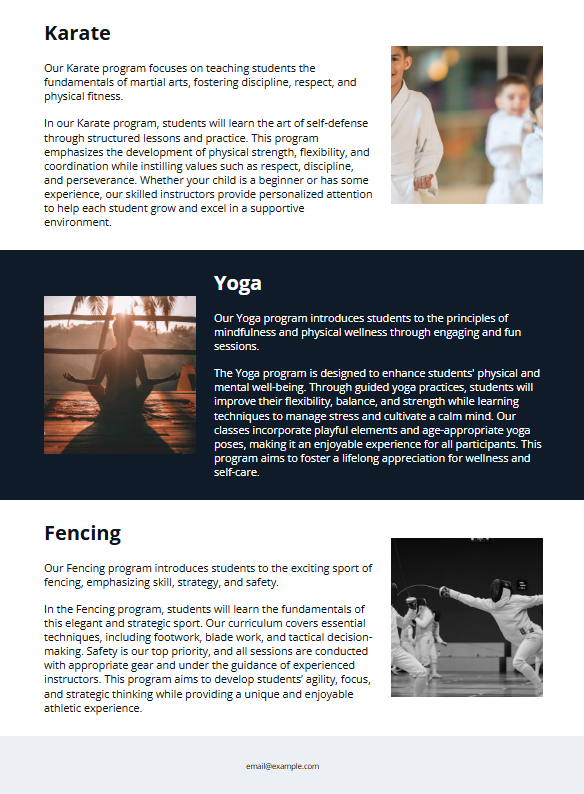
    Fig. 3. Sign Up Blocks Layout
    Fig. 3. Sign Up Blocks Layout

  6. Created sign-up blocks can be edited or removed by clicking the context menu to the right of the specific block and selecting the required action.

    • Related Articles

    • Access Control List by the Educational Institution Administration

      Access Control List by the Educational Institution Administration¶ ⚠️ The section is available to the Administrator and Principal of the educational institution. The “Access Control List” Manage (ACL) section allows the administrator to configure ...
    • Staff Management in the School Workspace

      Staff Management in the School Workspace ⚠️ Administrator role is required. This guide describes how an Administrator can add, invite, import, edit, and remove teachers on the platform. Log in to the platform using an Administrator account. In the ...
    • Adding New Grading System

      Adding New Grading System¶ ⚠️ This section is available for configuration by the Educational Institution Administrator. The platform implements a flexible grading mechanism that allows to adapt the system to the needs of a specific section, subject, ...
    • Assignments

      Assignments Finding and Submitting Assignments as a Student Steps Open the platform and sign in to your account. In the menu on the left, select "Assignments". Review the list of assignments. Here you will see all assignments both home assignments ...