Profile Setup

Profile Setup

Profile Setup

Zoom Integration

ℹ️ To integrate with Zoom, a Teacher, Administrator, Principal, or Assistant Principal roles are required.

Steps

  1. Open the platform and log into your account.
  2. Click on your name or profile picture.
  3. Select "Settings".
  4. Select the "Integrations" tab.
  5. Zoom will be listed in the "Services" section, along with a "Connect" button on the right. Fig. 2. Zoom service in the "Integrations" tab.
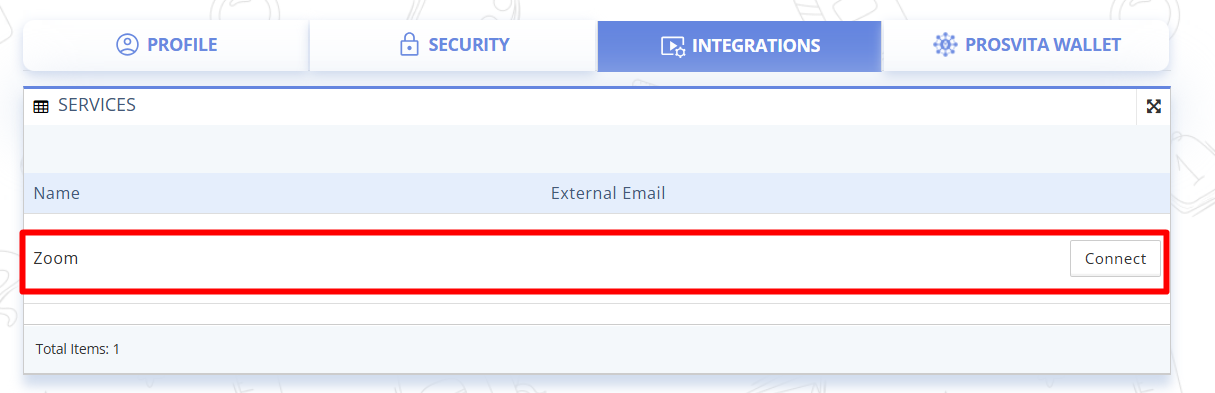
  6. Click the "Connect" button on the right.
  7. You will be redirected to the Zoom login window.
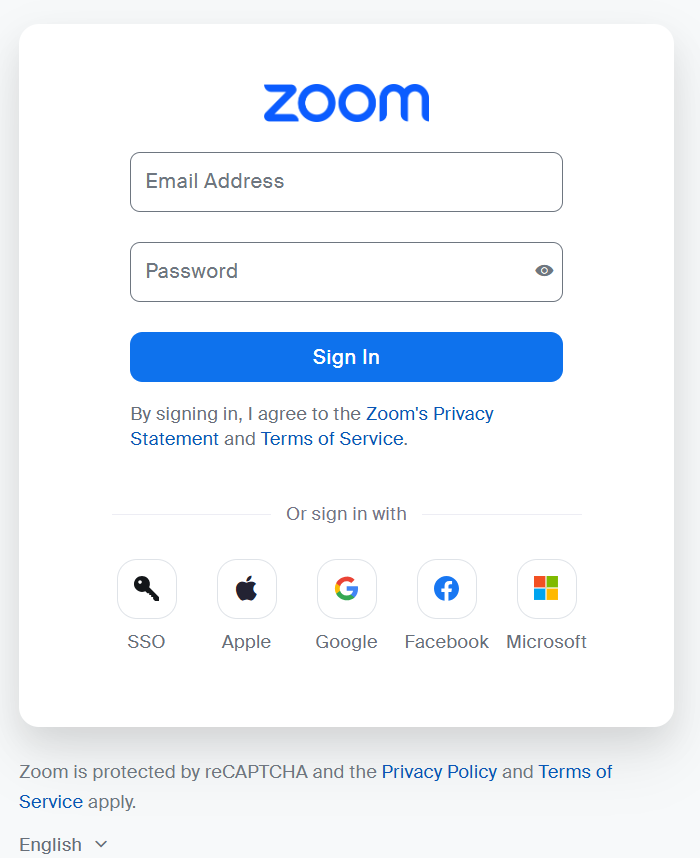
    Fig. 3. Zoom account login window. Fig. 3. Zoom account login window.
  8. Fill in your login email and password.
  9. Upon successful login, you will be automatically redirected back to the platform's settings page.
  10. Go back to the "Integrations" tab.
  11. In the "Services" section your Zoom account email will be displayed with a "Disconnect" button on the right.
  12. Zoom integration is now configured.
    • Related Articles

    • Initial School Setup

      Initial School Setup Educational Institution Setup Before Starting Work on the Platform ⚠️ These actions are performed by the institution's administration: principal, deputy principal, administrator. Steps Open the platform and log in to your ...
    • Staff Management in the School Workspace

      Staff Management in the School Workspace ⚠️ Administrator role is required. This guide describes how an Administrator can add, invite, import, edit, and remove teachers on the platform. Log in to the platform using an Administrator account. In the ...
    • Adding New Grading System

      Adding New Grading System¶ ⚠️ This section is available for configuration by the Educational Institution Administrator. The platform implements a flexible grading mechanism that allows to adapt the system to the needs of a specific section, subject, ...
    • Access Control List by the Educational Institution Administration

      Access Control List by the Educational Institution Administration¶ ⚠️ The section is available to the Administrator and Principal of the educational institution. The “Access Control List” Manage (ACL) section allows the administrator to configure ...